
 Euro Truck Simulator 2
 American
Truck Simulator
American
Truck Simulator
GMC Community MOD MANAGER for ETS2 and ATS
Take control of your ETS2 and ATS load orders
Built by the GMC Community for players running serious mod collections.
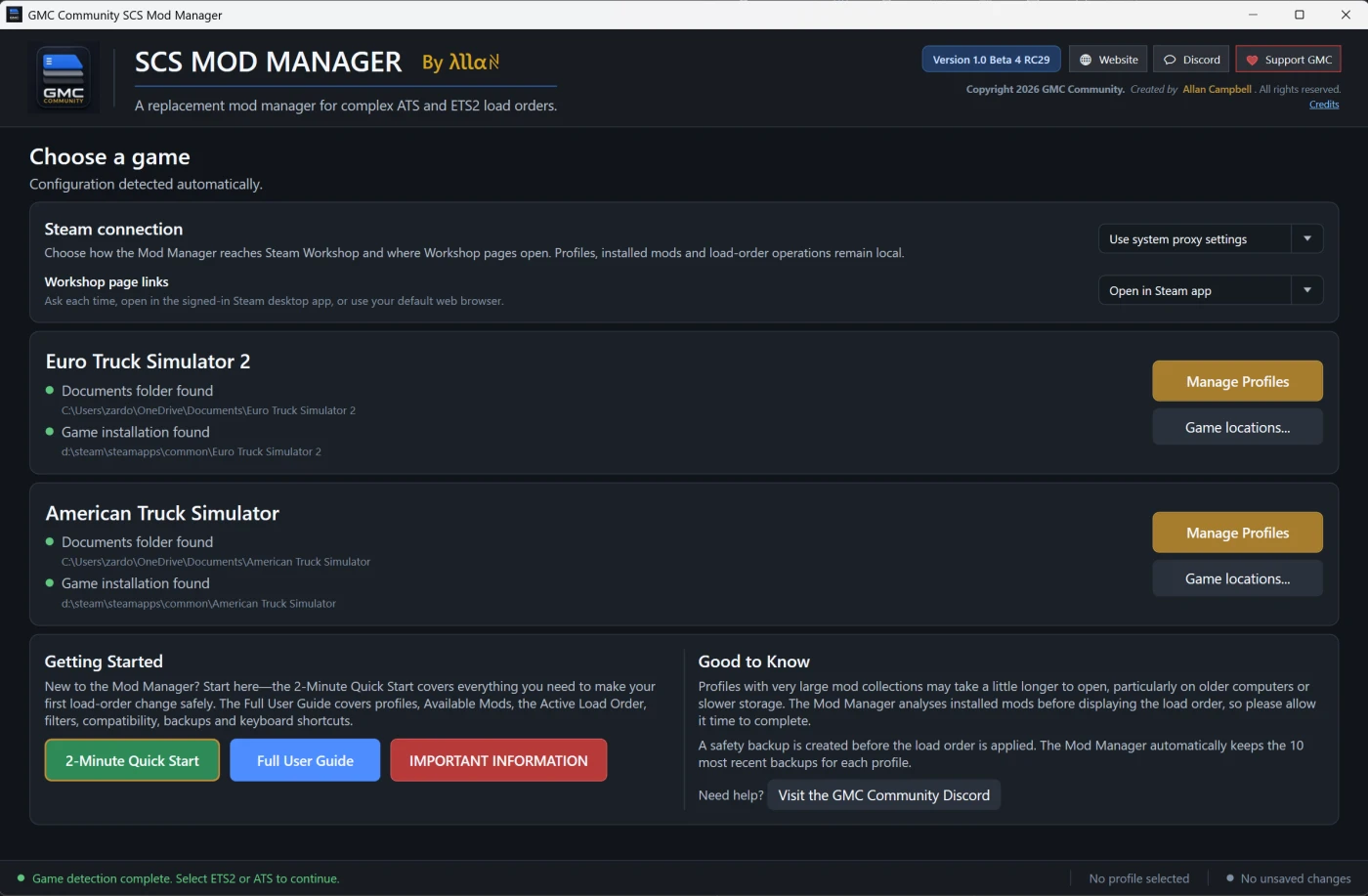
The GMC Community SCS Mod Manager brings your local and Steam Workshop mods together in one clear Windows application. Search your collection, inspect each mod and reorganise even very large load orders without fighting the standard in-game interface.
Why drivers use it
- One manager for ETS2 and ATS — select a game, choose a profile and start organising.
- Designed for large collections — drag mods through long load orders with Slow, Normal or Fast automatic scrolling.
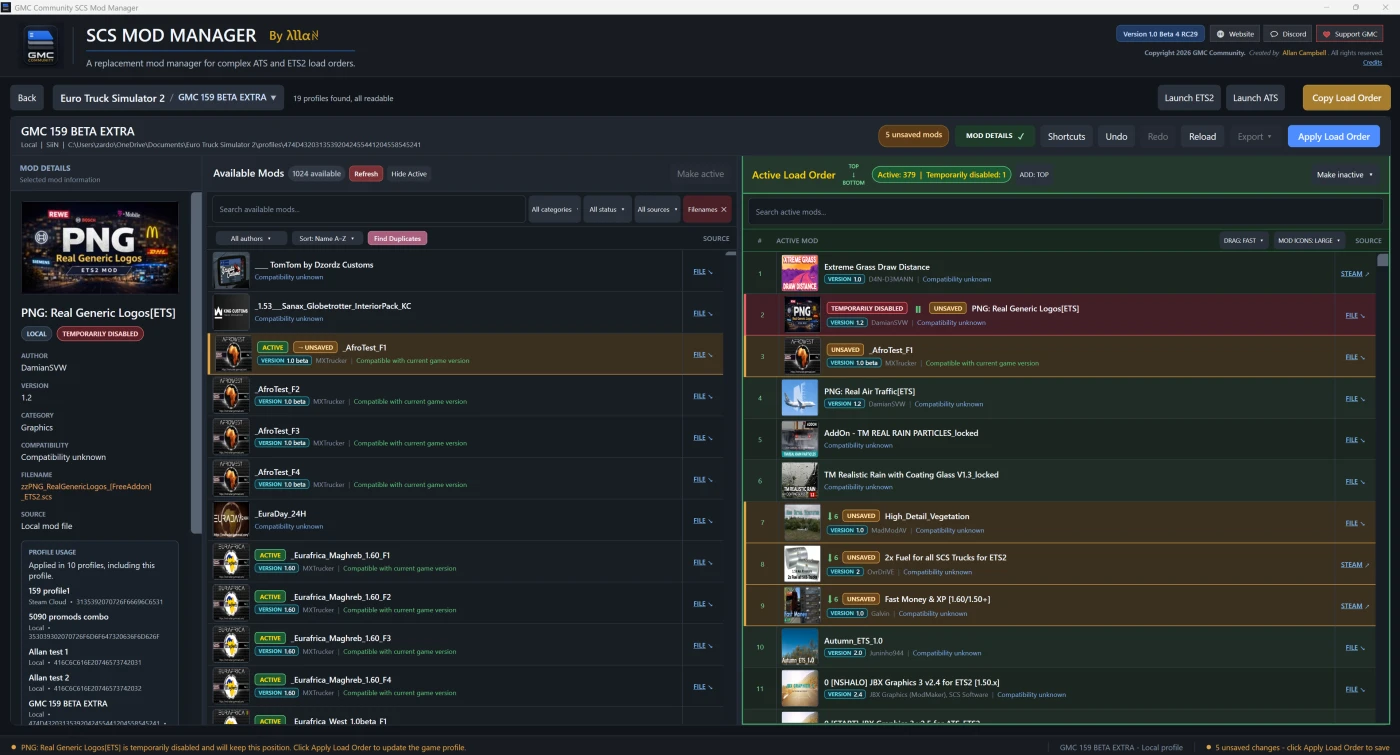
- Find anything quickly — search, filter and sort by mod information, source and filename.
- See the useful details — names, authors, versions, compatibility, descriptions and artwork where available.
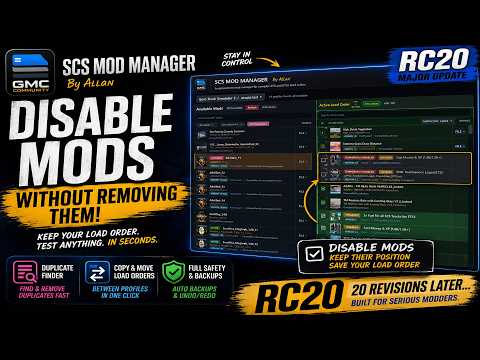
- Stay in control — temporarily disable mods, restore them, and use Undo or Redo while editing.
- Share your setup — copy or export complete load orders as TXT or CSV.
New in RC29: unpacked mod folders
RC29 adds full support for compatible local mods that have been extracted into folders.
- Detects unpacked mod folders alongside ZIP and SCS files.
- Reads supported manifest information, descriptions and mod artwork from the folder.
- The FILE link opens the exact local file or folder in Windows Explorer.
- Improved matching helps prevent the same folder and archive from appearing twice.
Important: If you have the same mod as both an unpacked folder and a ZIP or SCS file, keep only the copy you intend to use. Duplicate copies can cause confusion in the game and in any mod manager.
Safer profile editing
Your profile is not changed while you experiment. The manager only writes the new load order when you select Apply Load Order. A backup is created before the change, the result is verified, and the previous profile can be restored if verification fails.
Useful shortcuts
- Open local mods directly in Windows File Explorer.
- Open the exact Steam Workshop page for Workshop mods.
- Choose Small, Large or Extra Large artwork—or turn artwork off.
- Launch ETS2 or ATS directly from the manager.
Requirements
- Windows 10 or Windows 11, 64-bit.
- Euro Truck Simulator 2 and/or American Truck Simulator.
- At least one readable local game profile.
The application is supplied as a self-contained Windows build, so a separate .NET installation is not normally required.
Official links
Website: https://www.gmc-modmanager.co.uk/
Discord and support: https://discord.gg/gmc-community
Join the GMC Community Discord for support, development updates, bug reports and discussion with other ETS2 and ATS players.
The GMC Community SCS Mod Manager is a free community project. It is not affiliated with SCS Software. Euro Truck Simulator 2 and American Truck Simulator are trademarks of SCS Software.


Other Mods for Euro Truck Simulator 2
![[OBSOLETE] ProMods The Great Steppe - Beyond Road Connection](https://storage.truckymods.io/public/projects/154-promods-the-great-steppe-beyond-road-connection/media/633705e9e1cd604d22ed6185183d234e.webp)

![[OBSOLETE] Poland Rebuilding Fix](https://storage.truckymods.io/public/projects/153-poland-rebuilding-fix/media/8b574119450faca39e78aab661dabb63.webp)
![[OBSOLETE]Road to Caucasus ProMods The Great Steppe Fix](https://storage.truckymods.io/public/projects/road-to-caucasus-promods-the-great-steppe-fix/media/92ed6b6b49ca589e876dab21a392e90e.webp)
This Euro Truck Simulator 2 add-on was created by Allan-GMC and shared in Tools for Euro Truck Simulator 2.